
📑 In this guide
Start with our AI Confidence Quiz
AI is already part of your child’s learning. In just a couple of minutes, discover where your family stands and what to do next.
- ✓ Your family’s AI Confidence Score
- ✓ What you’re already doing well
- ✓ Simple, practical next steps
Back-to-school season brings new classes, new homework and, for some children, a new temptation: asking AI to make a difficult task much easier.
If you have found yourself wondering, “Is my child using ChatGPT for homework?”, there may be no obvious answer. AI tools can be reached through browsers, phones, search engines and apps. A child can generate an answer in seconds and close the page just as quickly.
That does not mean every unusually polished piece of homework came from AI. Changes in your child’s work are a reason to ask questions, rather than proof that they have done something wrong.
For elementary-school-aged children, a useful family boundary is simple: general-purpose AI chatbots should not be something they use privately or independently.
First, know the age limits
Popular AI tools have their own age rules. These can change and can also vary by country.
As of August 2026:
- ChatGPT: OpenAI says ChatGPT is not meant for children under 13. Young people aged 13–18 need permission from a parent or guardian. OpenAI also says that when ChatGPT is used in an educational setting with a child under 13, the adult should conduct the interaction.
- Claude: Claude.ai is for people aged 18 and over.
- Microsoft Copilot: Users must be at least 13, with a higher minimum age in some countries.
- Google Gemini: The rules are more complicated. Google allows parents to enable Gemini for supervised under-13 accounts in some countries. That supervised access is currently unavailable in the UK, European Economic Area and Switzerland.
A service allowing access does not automatically make independent use a good choice for a primary-school child.
For children under 13, keep general-purpose AI use adult-led, shared and directly supervised. You stay in control of the account and screen, and you help your child decide when AI is appropriate and what to make of its answers.
Our AI and Safety learning pathway helps you understand the risks of AI and how to prepare your child for them.
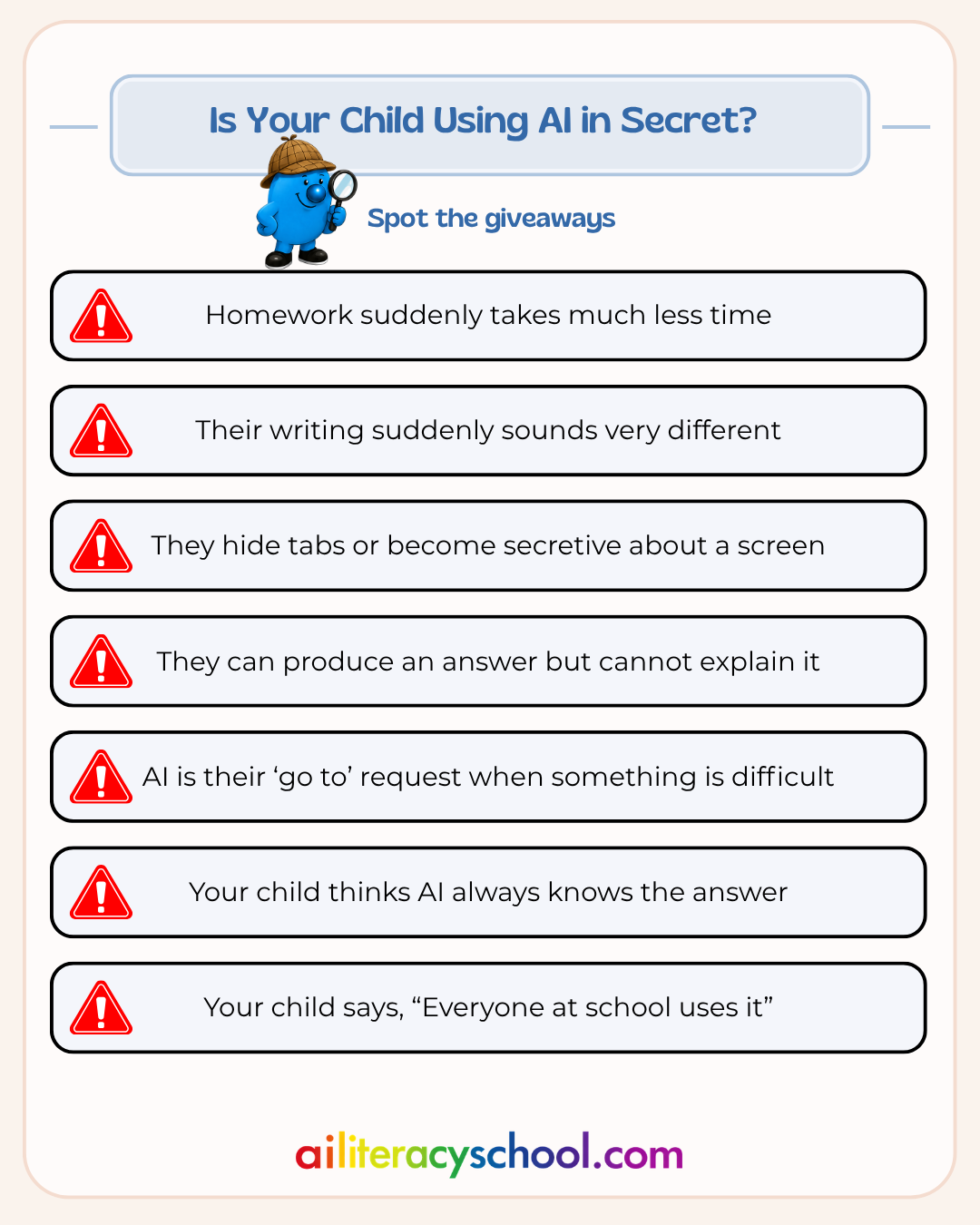
Spot this: Homework suddenly takes much less time
Your child used to spend half an hour working through a task. Now they appear with a complete answer after five minutes.
There could be plenty of explanations. Perhaps the work is easier. Perhaps they understood it quickly. AI is another possibility, especially if the finished work required writing, research or explaining ideas.
Do this: Ask about the process
Avoid starting with, “Did ChatGPT do this?”
Try:
“Talk me through how you worked this out.”
You are looking for their thinking. Can they explain the steps? Can they tell you why they chose an answer? Can they put the idea into their own words?
A useful homework rule is:
Try it yourself first. Ask for help second.
For children this age, any use of a general-purpose AI tool can then happen with you present.
Spot this: Their writing suddenly sounds very different
Perhaps your nine-year-old has started using words they would never normally say. Sentences may suddenly be longer or more formal. The structure may look unusually polished.
A change in writing style is not reliable evidence of AI use. Children pick up language from books, lessons and other people too.
Do this: Ask them to explain what they wrote
Choose a sentence and ask:
“What does this mean in your own words?”
Or:
“Why did you choose this word?”
The purpose is to check understanding rather than catch them out.
If a child submits work they cannot explain, the learning has been lost somewhere along the way, whether the source was AI, a website, another person or copied notes.
Spot this: They hide tabs or become secretive about a screen
A child quickly switching screens when you walk past does not automatically mean they are using AI. Repeated secrecy around homework or new apps is worth asking about.
They may also be worried that admitting they tried ChatGPT will lead to an instant ban.
Do this: Make the conversation safer than the secret
Try:
“I know children hear about AI from friends, school and online. I want to understand what you have seen and tried so we can work out some sensible rules together.”
Then ask open questions:
- “Have you seen other children using ChatGPT or another AI tool?”
- “What do people at school say they use it for?”
- “Have you ever tried asking one a question?”
- “What did you think of the answer?”
Listen before explaining the rules. You are more likely to discover what is actually happening.
Spot this: They can produce an answer, but cannot explain it
AI can make homework look finished without helping a child understand the subject.
A child might copy an explanation of the water cycle, a book character or a maths method that sounds convincing while having little idea what it means.
That creates a problem beyond one homework assignment. Schoolwork gives children practice in remembering, reasoning, writing, solving problems and coping when an answer does not come immediately.
Do this: Use the “could you teach me?” test
Ask:
“Could you teach this to me without looking at your homework?”
If they cannot, go back to the task together.
You can also introduce a simple family rule:
If you hand something in, you should be able to explain it.
That keeps the focus on learning and ownership rather than trying to detect AI-generated text.
Spot this: AI becomes their ‘go to’ when something is difficult
You might hear:
“Can ChatGPT tell me?”
“Can AI write it?”
“Why do I have to work it out if AI knows?”
Children naturally look for shortcuts. AI happens to offer a very powerful one.
If it becomes the first response to difficulty, children can miss the practice that helps them become more independent learners.
Do this: Create a “brain first” rule
Before reaching for any digital help, ask your child to make an attempt.
They might:
- Read the question again.
- Write down what they already know.
- Try one possible answer.
- Identify the part they are stuck on.
Help can come after that.
If you decide AI could be useful, use it together. For example, you could ask your AI account to create three extra practice questions on a topic your child has already studied.
AI then supports practice instead of completing the schoolwork.
Spot this: Your child treats the chatbot as if it always knows the answer
AI can sound very confident when it is wrong.
For a child, the conversational style can make an answer feel more trustworthy than a textbook or ordinary website. A chatbot can respond instantly, explain itself and keep answering follow-up questions.
Do this: Make checking part of every shared AI session
Ask:
“How could we check whether this is true?”
Then use another source: a school book, a teacher-provided resource, a trusted website or your own knowledge.
You can even turn mistakes into a game. Ask AI a question about a topic your child knows well and see whether you can find anything incomplete, misleading or wrong.
This teaches a useful lesson early: AI gives answers that need human judgement.
Spot this: “Everyone at school uses it”
This can put parents in a difficult position. You may worry that your child will fall behind if other children are already using AI.
School rules also differ. One teacher may allow certain uses while another may expect work to be completed without AI.
Do this: Separate AI literacy from AI access
Your child can learn how AI works without having their own chatbot account.
Talk about:
- Why AI sometimes makes mistakes
- Why copying AI-generated work can be unfair
- When using AI could help someone learn
- When doing the work yourself gives you more practice
- Why private information should stay out of prompts
- How to check an AI answer
- What their school allows
You can also ask the school how it expects pupils to handle generative AI. Clear expectations make conversations at home easier.
A five-minute conversation you can have today
You do not need to conduct a device inspection or begin with an accusation.
Try saying:
“AI tools such as ChatGPT are going to be part of your future, so I want you to understand them properly.
For your age, they are something we use together. If you have already tried one, you can tell me. I would rather understand what happened and help you learn from it.
When we do use AI, we will check its answers, protect private information and make sure your schoolwork still shows your own thinking.”
Then ask what they have already heard about AI.
Their answer may tell you far more than checking their homework for supposed signs of AI writing.
A simple AI rule for children under 13
You can keep your household rule short:
AI is something we explore together.
That means your child does not have a separate account or private access to a general-purpose chatbot. When you choose to use one, you are directly involved and remain in control of your own account.
Let your child suggest questions while you enter them. Read the response together. Ask whether it sounds right. Check anything factual. Talk about whether using AI helped them learn or simply made the task easier.
Some useful shared activities include generating extra spelling or maths practice, asking for another explanation of a difficult concept, comparing an AI answer with a textbook, or seeing whether you can spot errors in an AI response.
This gives children experience of AI while keeping adult judgement, school rules and their own thinking at the centre.
You can teach good AI habits before your child needs their own account
Children will grow up around AI. Helping them develop good habits now gives them a stronger foundation for using it later.
You can show them that AI can be useful without treating every answer as true. You can demonstrate when using AI is fair and when a task needs their own effort. You can teach them to protect private information and to ask real people for help with personal problems.
And you can do all of that without becoming an AI expert yourself.
If you would like more guidance, AI Literacy School has learning pathways designed to give parents the knowledge and language to handle these situations with confidence.
AI for Learning helps you understand where AI can support learning and where it can get in the way.
AI and Safety helps you recognise risks and set sensible boundaries for your family.
Choosing AI Apps helps you find dedicated and safe AI apps for children
Start with the area that feels most useful in your family. A little knowledge can make the next conversation about AI much easier.
Was this guide helpful?
Let us know whether this article helped you.
Share this guide with other parents
Know a parent who would find this guide helpful? Enter their email address and we'll send them the Parent Conversation Guide directly.