📑 In this guide
Start with our AI Confidence Quiz
AI is already part of your child’s learning. In just a couple of minutes, discover where your family stands and what to do next.
- ✓ Your family’s AI Confidence Score
- ✓ What you’re already doing well
- ✓ Simple, practical next steps
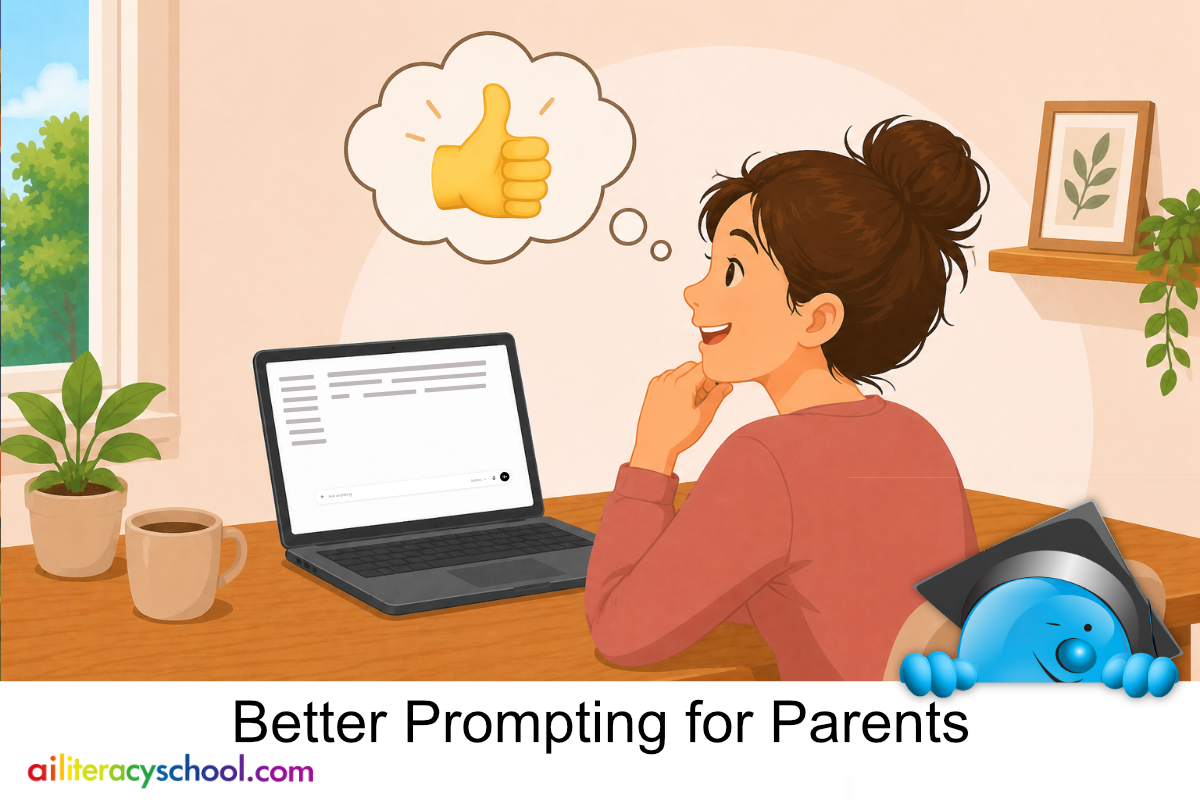
Chatbots such as ChatGPT, Gemini, and Claude can be useful tools for parents. They can help you generate ideas, think through everyday learning challenges, prepare for conversations, or find child-friendly ways to explain something.
You do not need to be technical to use them. A prompt is simply the message you type into the chatbot. The clearer your prompt is, the more useful the response is likely to be.
Why structured prompts get better results
A chatbot works with the information you give it. If you type a very broad request, you may get a broad answer. If you give the chatbot a little more structure, it has a better chance of giving you something practical, relevant, and easy to use.
A useful prompt often includes what kind of answer you want, a little safe context, a clear instruction, and sometimes a role for the chatbot to take.
1. Ask the chatbot to take a helpful role
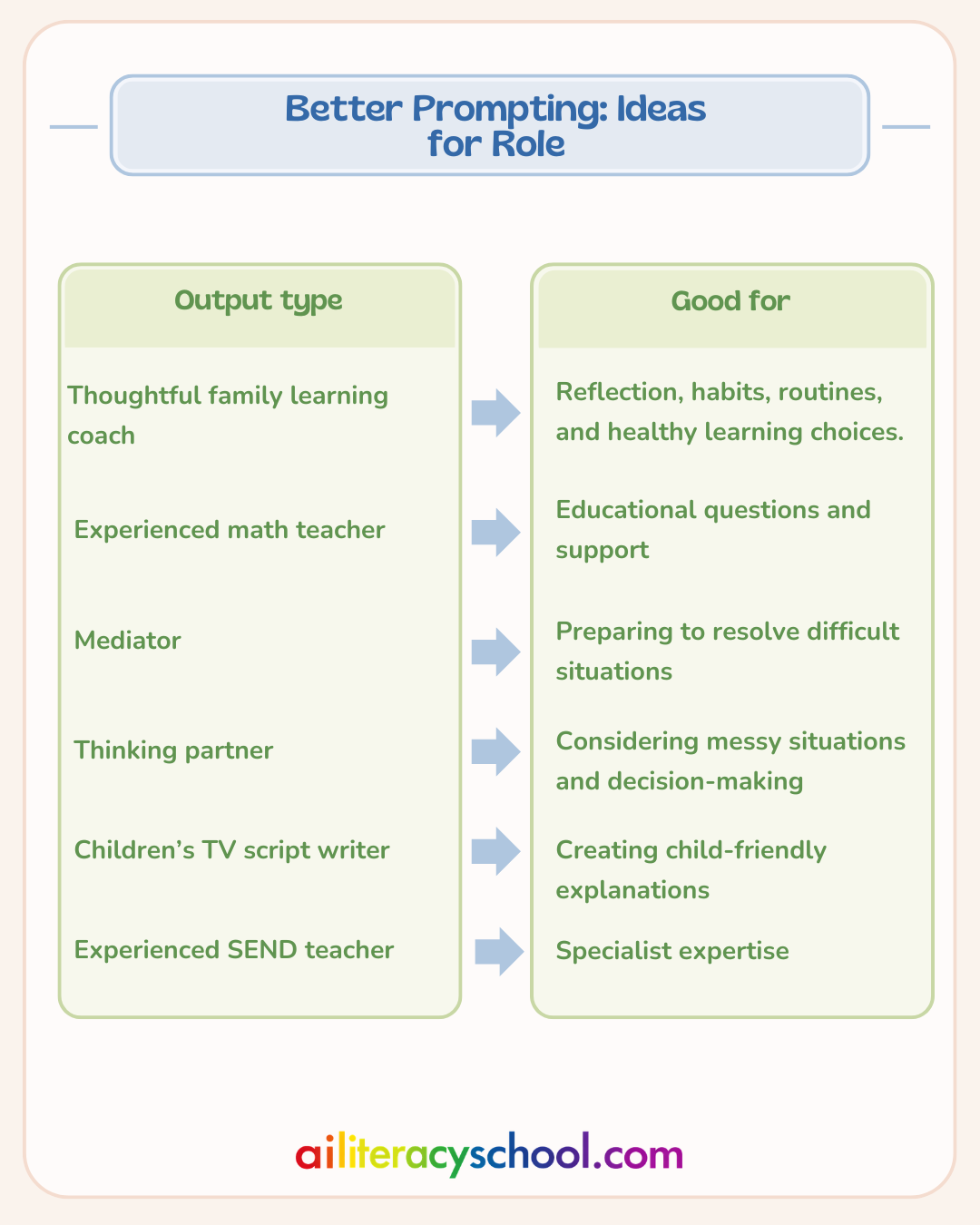
Asking the chatbot to take a role can shape the style of the response. For example, you might ask it to respond like a thoughtful family learning coach, an experienced teacher, a thinking partner, or a mediator.
This does not mean the chatbot is a real expert, and it should not replace professional advice. It is simply a way to guide the tone and focus of the response.
2. Give a clear instruction
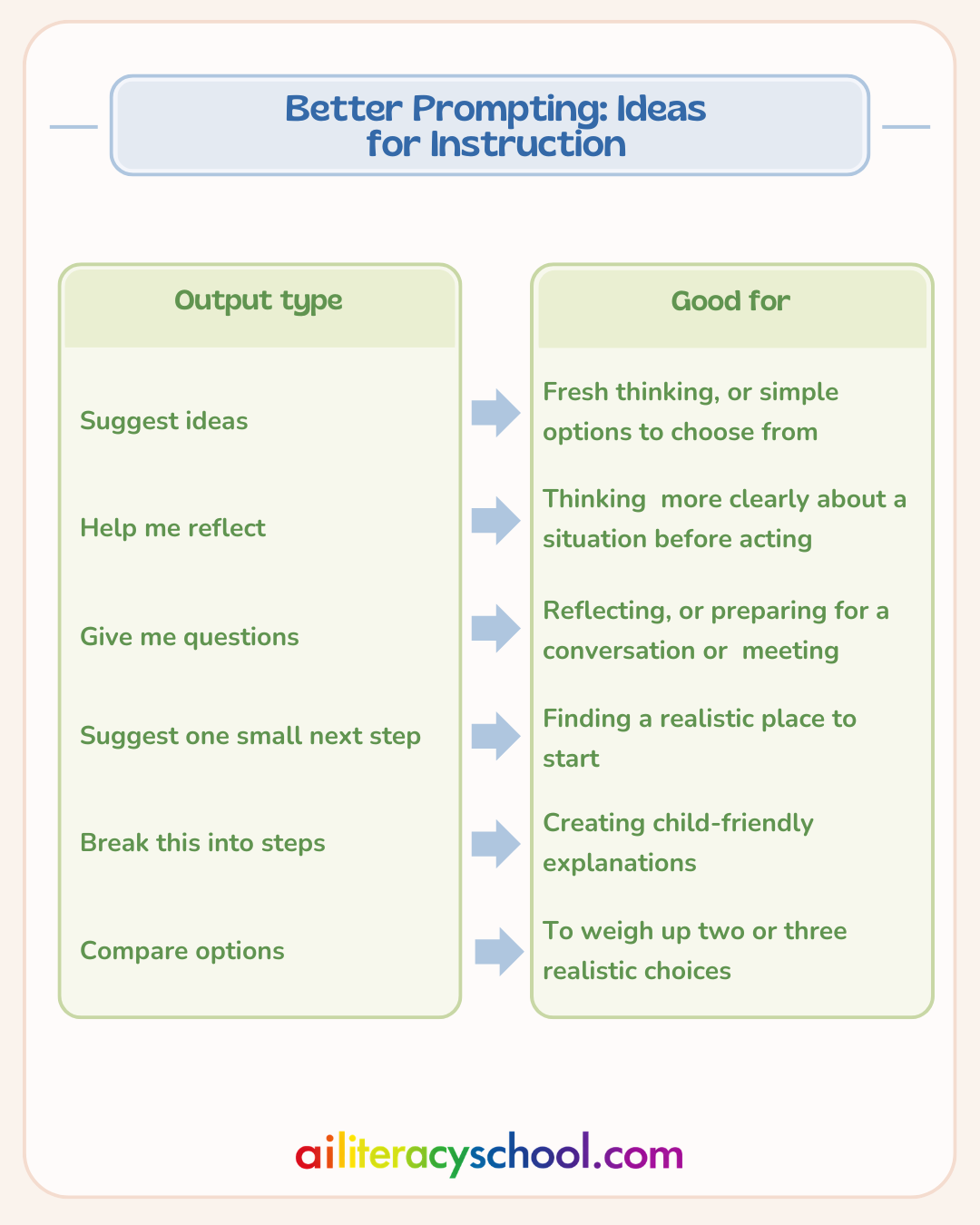
The instruction tells the chatbot what to do. You might ask it to suggest ideas, help you reflect, give you questions, break something into steps, or compare options.
A clear instruction helps turn a vague answer into something more useful.
3. Add safe and useful context
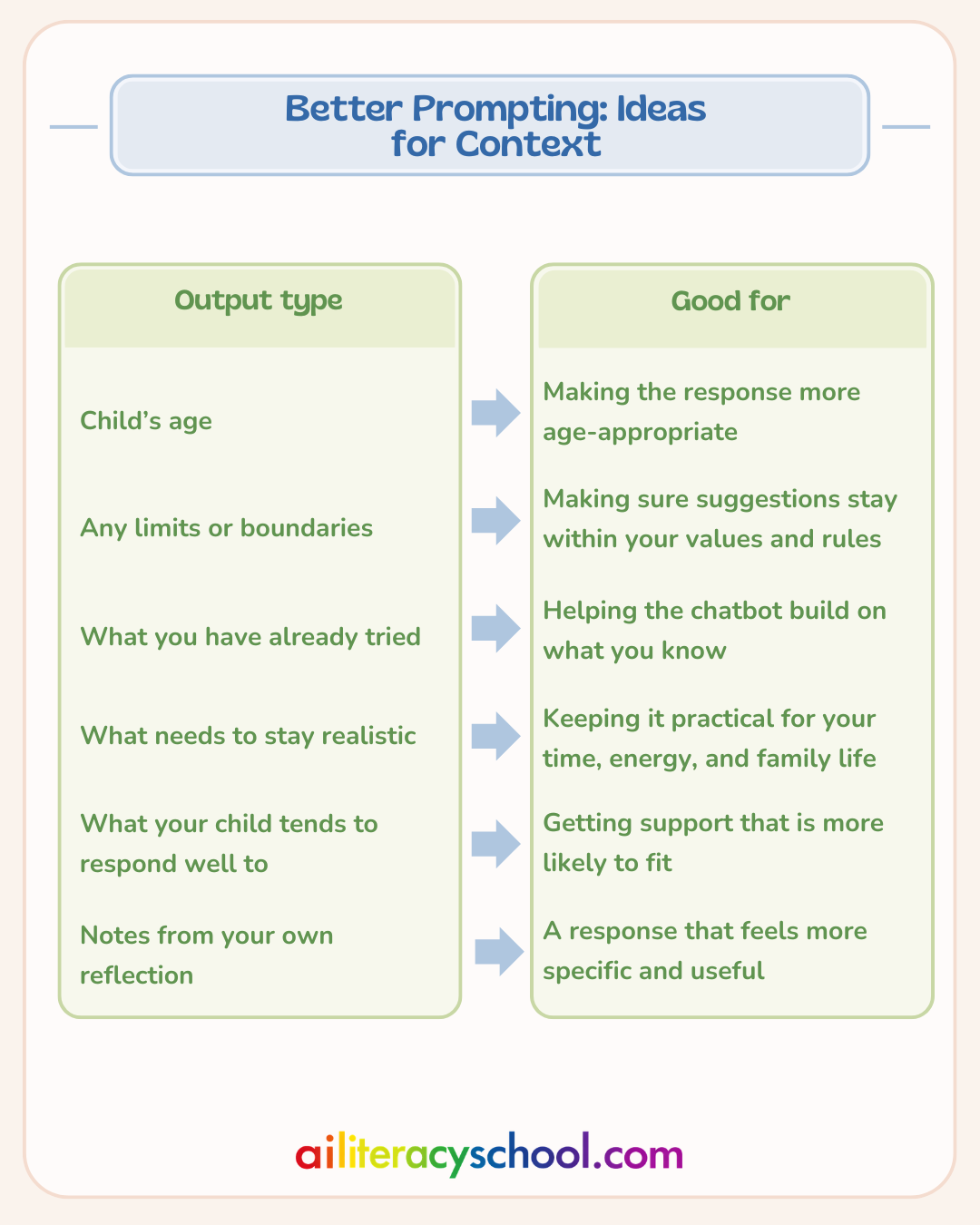
Context helps the chatbot make its answer more realistic. This might include your child’s age, what you have already tried, what usually works well, or what needs to fit into your family routine.
Keep the context simple. You do not need to write a long explanation.
4. Choose the type of output you want
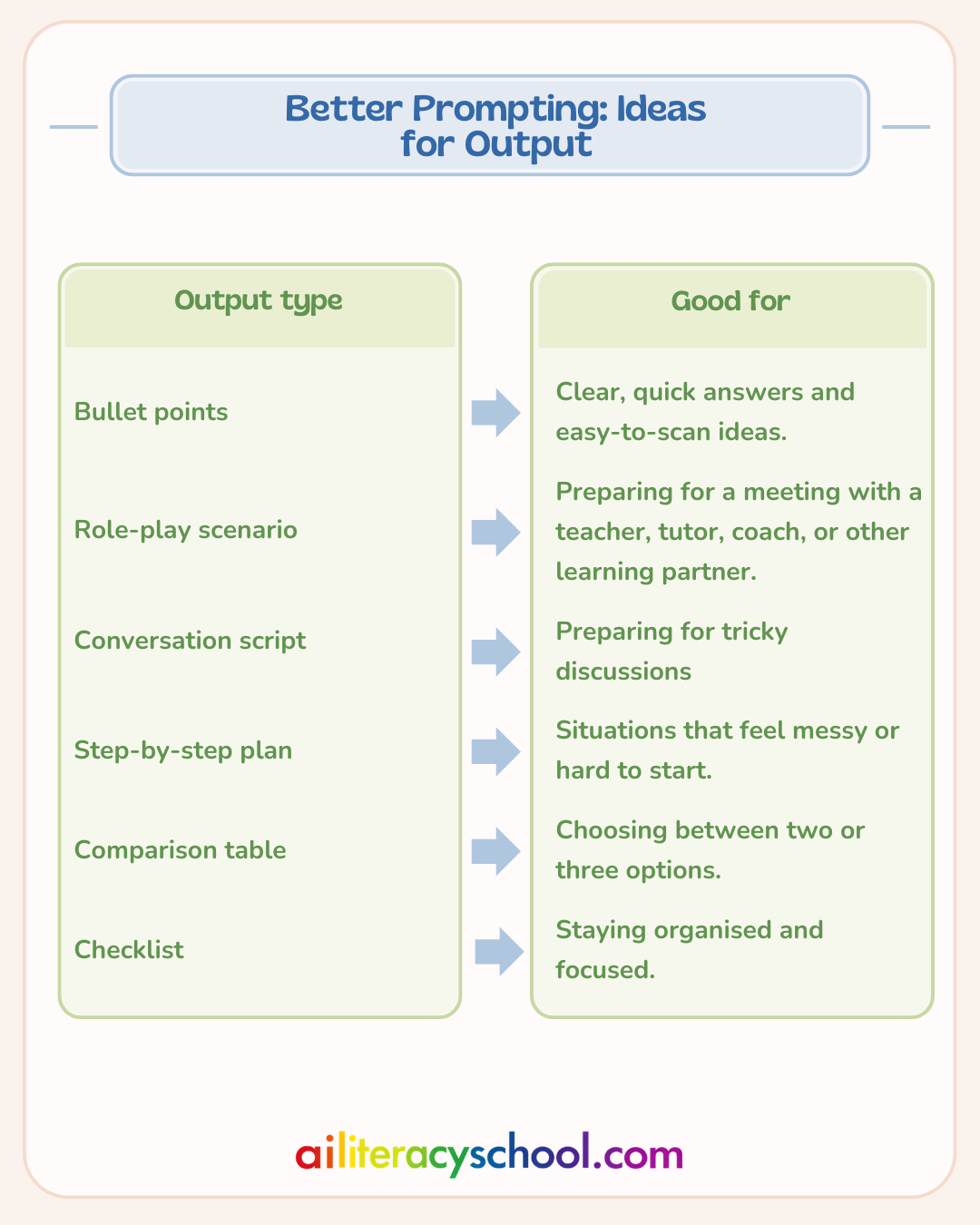
Before asking your chatbot for help, think about what you would like back. Do you need a quick list, a plan, a checklist, a script, or a comparison?
For example, you could ask for a short checklist before a teacher meeting, or a simple conversation script before talking with your child.
Keep your child’s privacy safe
Parents should never enter personal details or diagnoses into chatbot prompts.
Do not include your child’s full name, school name, address, location, medical details, diagnoses, private family information, or anything that could identify your child.
Instead, keep your prompt general. For example, write “My 7-year-old sometimes finds reading frustrating” rather than saying they are dyslexic.
A simple prompt structure
You can build a useful prompt like this:
Act as a [role]. My child is [age]. I need help with [situation]. Please give me [type of output]. Keep it [tone or limit]. Do not include or ask for personal details.
For example:
Act as a thoughtful family learning coach. My child is 8 and often rushes through homework. I need help making homework feel calmer. Please give me a simple one-week plan. Keep it realistic and encouraging. Do not include or ask for personal details.
Give it a go
For some practical uses see:
5 AI prompts to help you support your child with English homework
5 AI prompts for parents to help children with math
You can try this with ChatGPT, Gemini, Claude, or whichever chatbot you prefer. Start with one everyday situation where you would like a little help. Choose an output, add safe context, give a clear instruction, and try a role if it helps.
Your first prompt does not need to be perfect. You can always ask the chatbot to make the answer shorter, more practical, warmer, simpler, or easier to use.
Give it a go and see what useful ideas you can generate for everyday family life, or build on this with our AI and Learning Pathway.
Was this guide helpful?
Let us know whether this article helped you.
Share this guide with other parents
Know a parent who would find this guide helpful? Enter their email address and we'll send them the Parent Conversation Guide directly.