.png)
📑 In this guide
Start with our AI Confidence Quiz
AI is already part of your child’s learning. In just a couple of minutes, discover where your family stands and what to do next.
- ✓ Your family’s AI Confidence Score
- ✓ What you’re already doing well
- ✓ Simple, practical next steps
Why This Matters
Children aged 7 to 9 may be impressed by tools that answer questions quickly, make pictures, or seem to know a lot. At this age, it is easy to assume that a clever tool must also be correct.
A short conversation at home can help your child understand that AI is not always right. This matters because children need to know that they should not believe every answer they get from a tool, even if it sounds clear or confident.
This is also a good early step in helping your child ask questions, check things carefully, and come to you if something does not seem right.
This AI Conversation's Aim
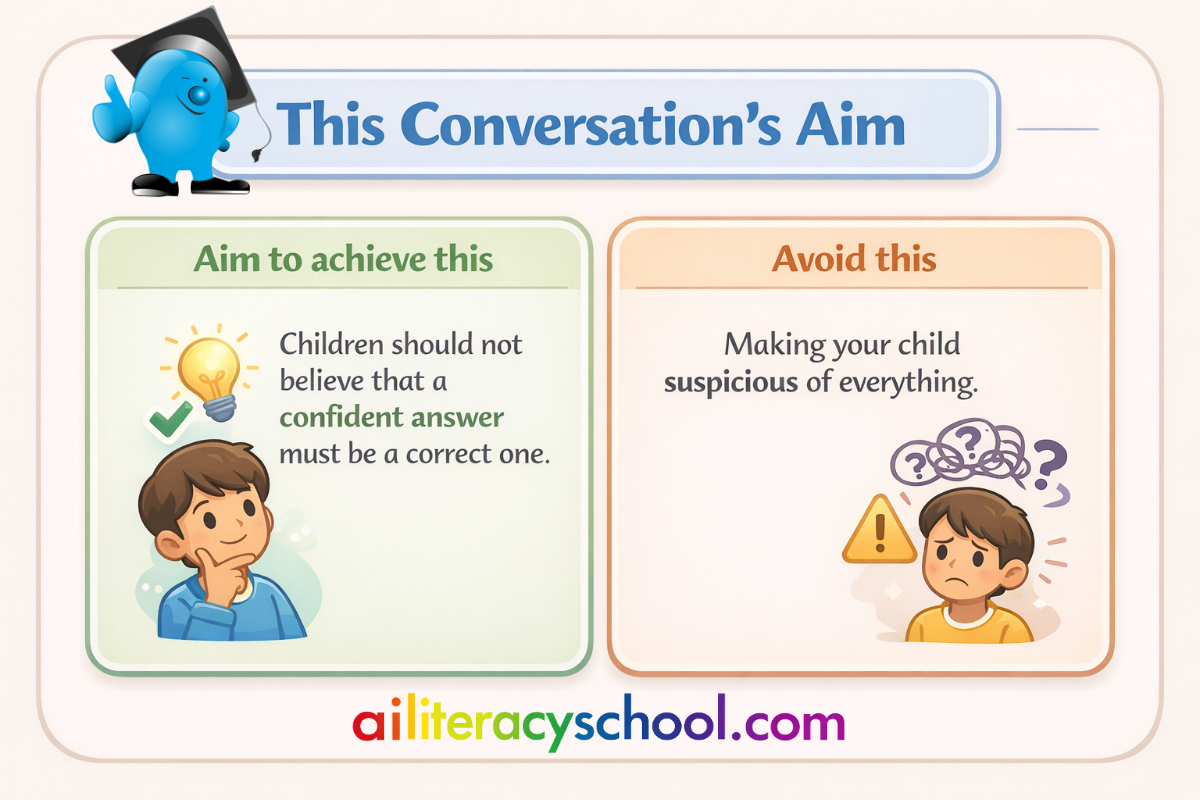
Many parents want to encourage curiosity about AI without giving children the idea that it can be trusted without question.
You may not want to make your child suspicious of everything, but you also do not want them to believe that a confident answer must be a correct one.
A good first conversation usually starts with what your child already thinks. If you begin there, you are more likely to find out whether they already trust AI too much, feel unsure about it, or have had an experience that confused them.
Before You Start
You do not need expert knowledge to have a useful conversation about this topic but we can help you identify where you might need more information with our AI Readiness Check.
A free trial to AI Literacy School will give you access to parent-friendly learning pathways that support building whole-family AI Literacy, from young to old.
What matters most is helping your child understand one simple idea. AI can be helpful, but it can also make mistakes.
Before you begin, it may help to remember:
- Children this age may believe that fast answers are better answers.
- A tool that sounds clever may seem trustworthy to a child.
- Your child may not have thought yet about checking whether something is true.
- A short, calm conversation is often enough to begin building better habits.
- It is fine if you do not have a perfect example ready.
You are helping your child become thoughtful, not fearful.
Start By Asking
A good way to begin is to ask what your child already thinks.
You could ask:
- “Do you think AI always gets things right?”
- “Why do you think people might trust AI answers?”
- “What would you do if a tool gave you an answer that seemed strange?”
- “Can something sound right but still be wrong?”
- “Who could you ask if you were not sure about an answer?”
These questions can help you hear how much trust your child already puts in AI and whether they have thought about checking answers before.
What Your Child Might Say
Children aged 7 to 9 may say things like:
- “It knows lots of things, so it must be right.”
- “If it says it clearly, it’s probably true.”
- “Computers don’t make mistakes.”
- “Maybe it gets some things wrong.”
- “I’d just believe it.”
- “I’d ask you.”
- “I don’t know how to tell if it’s wrong.”
- “That sounds confusing.”
Some children may trust the tool straight away. Others may already sense that something can be wrong, but not know what to do next.
How To Respond
Try to build from what your child says rather than correcting them too quickly.
If your child says, “It knows lots of things, so it must be right,” you could say:
“It may know a lot, but that still does not mean every answer is correct.”
If your child says, “If it says it clearly, it’s probably true,” you could say:
“Sometimes things sound clear and clever but are still wrong. That is why it helps to stop and think.”
If your child says, “Computers don’t make mistakes,” you could say:
“Computers and AI tools can make mistakes too. They can give wrong answers, miss things out, or mix things up.”
If your child says, “Maybe it gets some things wrong,” you could say:
“Yes, and that is why people still need to check and think.”
If your child says, “I’d just believe it,” you could say:
“It can be tempting to do that, but it is safer to check if something matters.”
If your child says, “I don’t know how to tell if it’s wrong,” you could say:
“That’s okay. One good step is to ask a trusted adult or check with another source.”
A Simple Explanation To Share
Once you have listened first, it can help to give your child one short idea to remember:
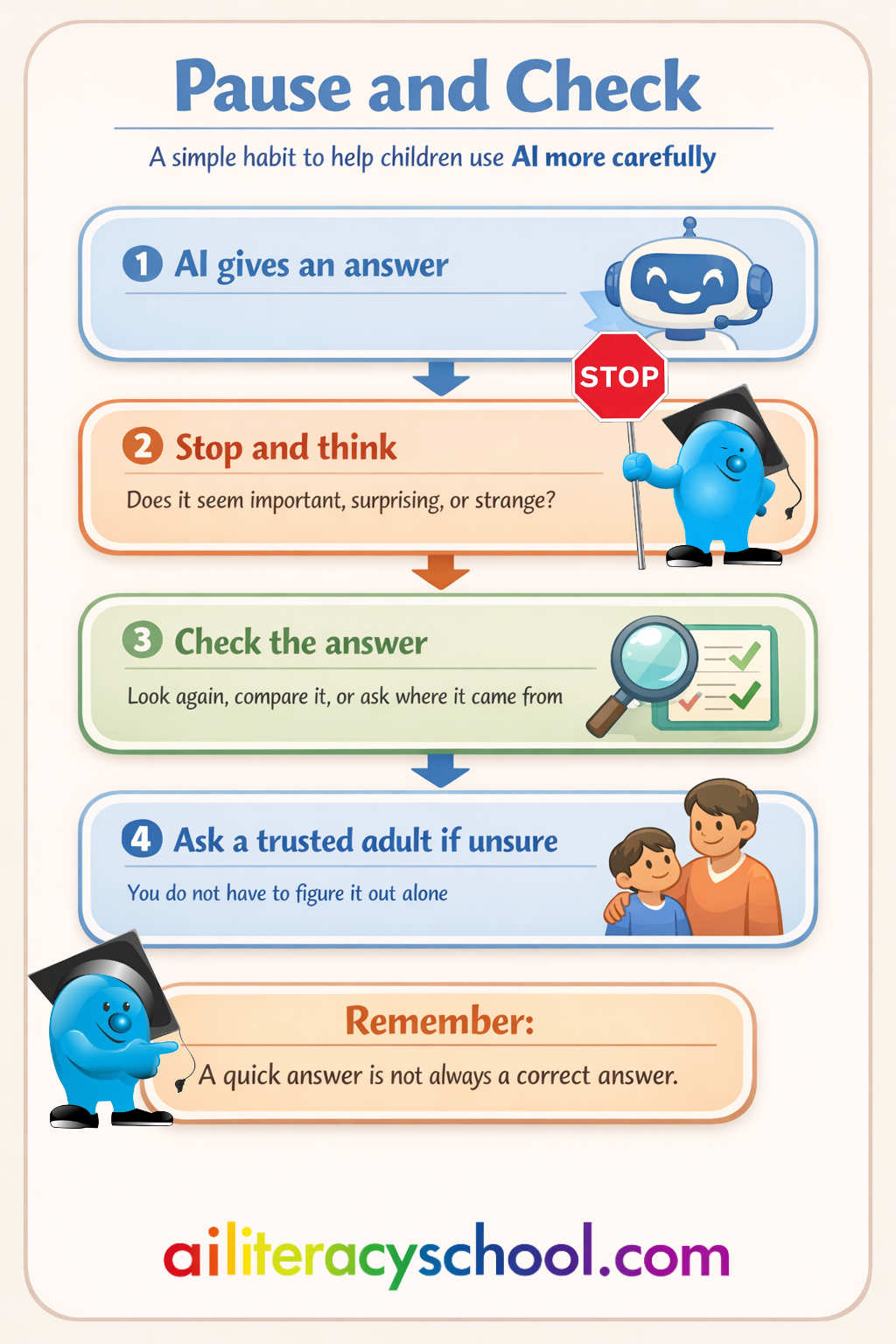
AI can give useful answers, but it can also make mistakes. If something seems important, surprising, or strange, it is worth checking.
That is enough for a first conversation.
Risks And Benefits To Mention
You should aim to give your child a balanced view.
| AI can be helpful because… | But take care because… |
|---|---|
| It Can Answer Questions Quickly It Can Help With Ideas It Can Be Useful For Learning Or Creating Things It Can Support People With Everyday Tasks | It Can Give Wrong Answers It Can Sound Sure Even When It Is Mistaken It Can Leave Out Important Information It Should Not Be Trusted Without Thinking |
This helps your child understand that AI can be useful, but it still needs human checking.
Talk About It
You could keep the conversation going with one or two follow-up questions:
- “What would make you stop and check an answer?”
- “If two answers were different, what could you do?”
- “Why do you think people should not trust every answer straight away?”
- “Who could help you check something important?”
- “What kinds of questions might need extra care?”
These questions help your child link AI to judgement and careful thinking.
If Your Child Says Something Unexpected
Some children may say things that show worry, frustration, or confusion.
They might say:
- “Then what’s the point of using it?”
- “That sounds annoying.”
- “How do we know what is right?”
- “What if I believed something wrong?”
- “Then I’d never know what to trust.”
You do not need to solve every problem at once. A calm reply can help keep things in proportion.
You could say:
- “It can still be useful, but we need to use it carefully.”
- “That’s why checking matters.”
- “You do not have to work it all out on your own.”
- “If you are unsure, you can always ask.”
- “The goal is not to trust nothing. It is to think before you trust.”
That helps your child see that mistakes are a reason to be careful, not a reason to panic.
Helping Your Child Stay Safe
A conversation about mistakes can include a few simple safety habits.
For children aged 7 to 9, these are good basics:
- Do Not Assume A Confident Answer Is Correct
- Do Ask A Trusted Adult If Something Seems Strange
- Do Check Important Information Before Believing It
- Do Take Extra Care With Answers About Health, Safety, Or Other People
You do not need to make this feel serious or scary. The aim is to build a habit of pausing and checking.
Build Your Own Confidence
These guides are designed to help you start useful conversations with your child. You do not need to know everything before you begin.
Often, a first conversation helps parents notice where they would like more support. You may find that you want a clearer understanding of how AI can support learning, where the main safety issues are, or how privacy works in AI tools.
AI Literacy School gives parents access to a growing library of guides and pathways designed to build confidence step by step, including:
- AI for Learning Pathway for understanding how AI can support children’s learning and how to guide effective, responsible use.
- AI and Safety Pathway for understanding risks and helping children stay safe with AI.
- AI and Privacy Pathway for understanding how AI tools use information and how to help children protect their data and privacy.
A subscription includes access to all pathways and guides, and starts with a free trial.
Tip For Parents
Keep the conversation practical.
You do not need to explain every reason AI makes mistakes. What matters most is helping your child understand that a quick or confident answer is not always a correct one.
Was this guide helpful?
Let us know whether this article helped you.
Share this guide with other parents
Know a parent who would find this guide helpful? Enter their email address and we'll send them the Parent Conversation Guide directly.